Coordinate Systems
Introduction
There are several different coordinate systems used in Kwyll, each with its own purpose and conventions. Understanding these coordinate systems is crucial for correctly positioning objects, handling movement, and performing calculations within the game. This section provides an overview of the different coordinate systems used in Kwyll and how they relate to each other.
Global Coordinate System
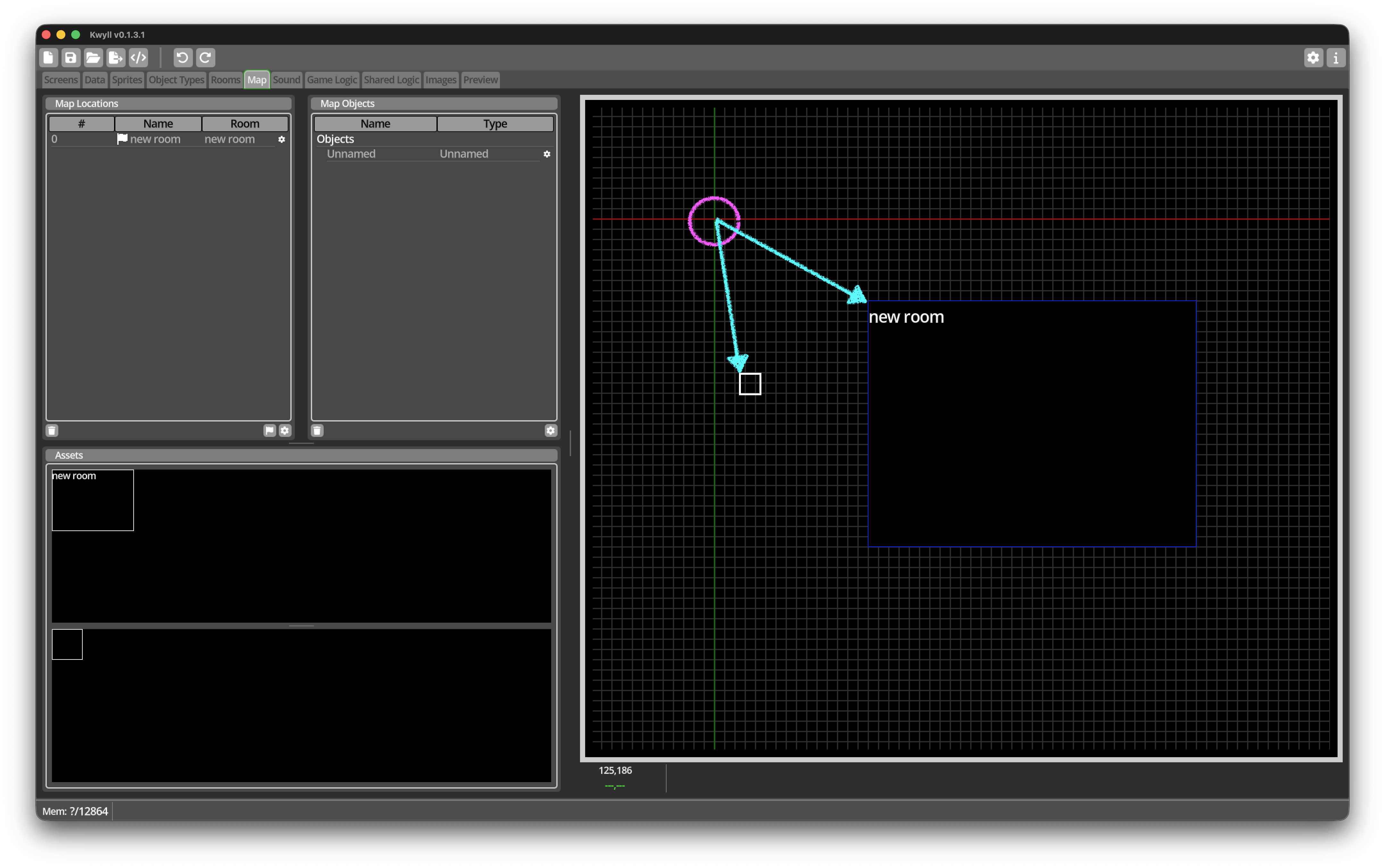
The global coordinate system is used in the map editor for placement of locations and objects. It is a 2D coordinate system where the origin (0,0) is typically at the top-left corner of the Map. The x-axis extends to the right, and the y-axis extends downwards. This coordinate system is used for defining the layout of the game world and positioning elements within it. The origin of the global coordinate system is displayed in the Map Editor as the crossing of the red and green lines in the grid view.
In logic, you can use the Map to Room and Room to Map nodes to convert between the global coordinate system and the room coordinate system.
Figure 1 shows the Map Editor, the origin of the global coordinate space is shown highlighted in magenta, and the two cyan arrows show how a Location and a map level Object are located relative to the origin.
Room Coordinate System
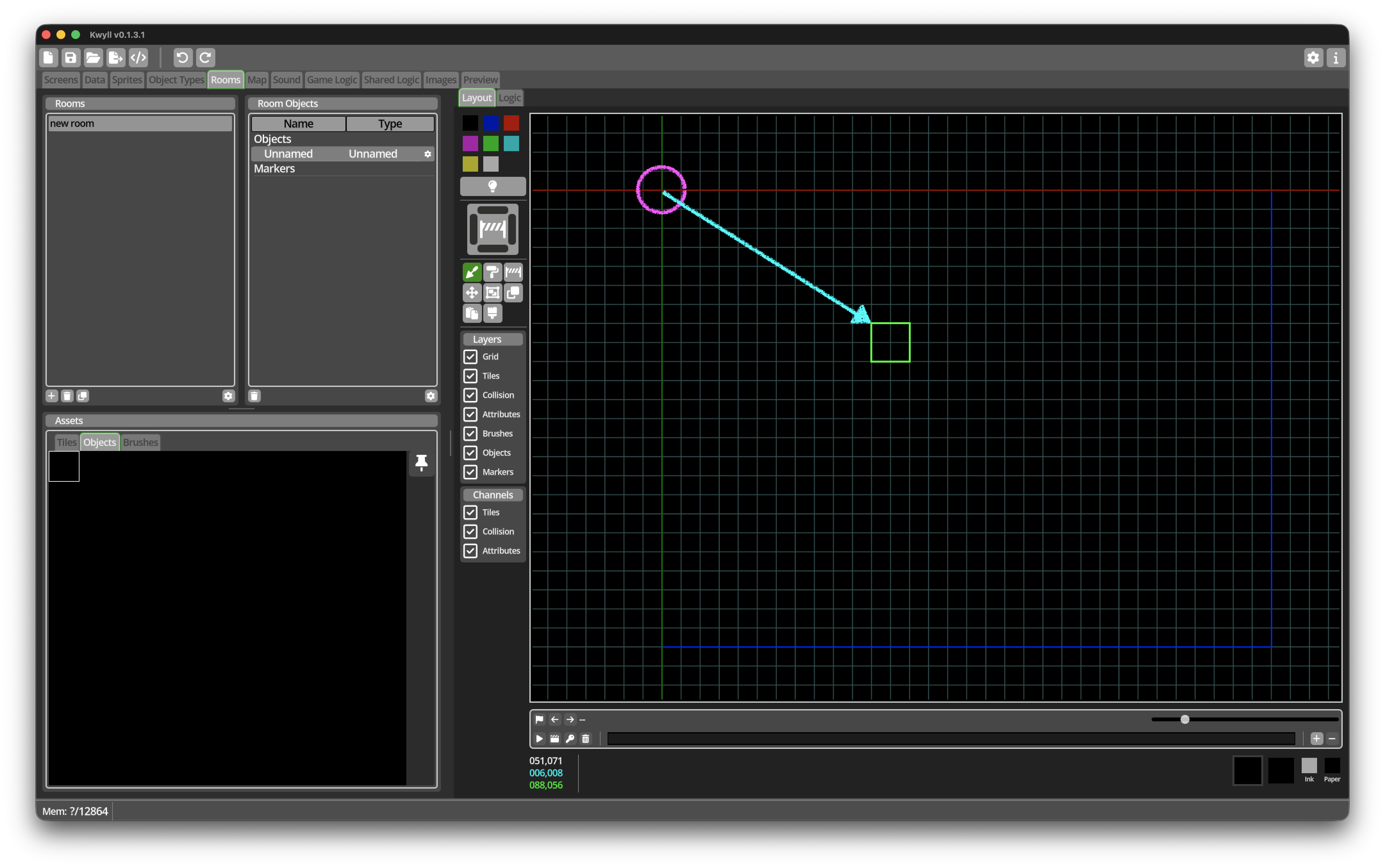
The room coordinate system is used for positioning objects and markers within a specific room. It is also a 2D coordinate system, but the origin (0,0) is at the top-left corner of the Room. The x-axis extends to the right, and the y-axis extends downwards. This coordinate system is used for defining the layout of individual rooms and placing objects within them. The origin of the room coordinate system is displayed in the Room Editor as the crossing of the red and green lines in the grid view.
In logic, you can use the Map to Room and Room to Map nodes to convert between the global coordinate system and the room coordinate system.
Figure 2 shows the Room Editor, the origin of the room coordinate space is shown highlighted in magenta, and the cyan arrow shows how a room Object is located relative to the origin.
Tile Coordinate System
The tile coordinate system is for positioning tiles in a Tilemap. It is different to the global and room coordinate systems in that it is based on "cells" rather than pixels. Each cell corresponds to a tile in the tilemap, and the coordinates are defined in terms of these cells. The origin (0,0) is at the top-left corner of the tilemap, with the x-axis extending to the right and the y-axis extending downwards. This coordinate system is used for defining the layout of tilemaps and placing tiles within them.
Tilemaps are used in two places in Kwyll, in Screens, and in Rooms. The origin of the tile coordinate system is the origin of the tilemap, which is displayed in the Screen Editor or Room Editor as the crossing of the red and green lines in the grid view.
In logic, you can use the Pixel to Tile and Tile to Pixel nodes to convert between the pixel coordinates in either the global or room coordinate system and tile coordinates.