Configure Controller
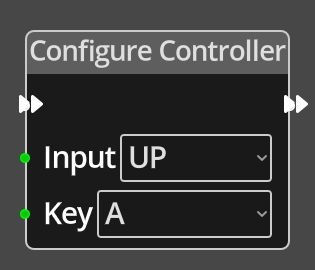
The Contfigure Controller Node sets the key mapping for a specific controller input to a new Keycode, thus allowing the game designer to offer the ability for a player to set their own keys for playing the game.
Ports
- Flow In
-
In order for this node to perform its operation, it must be connected into an active flow using this input port. The flow will ultimately originate at a Trigger node but can come from the Flow Out port of any other flow node.
- Flow Out
-
A node connected to the Flow Out port will be executed in sequence following the completion of this node’s operation.
- Input
-
The index of the controller input type to set the key mapping for: 0 - UP, 1 - DOWN, 2 - LEFT, 3 - RIGHT, 4 - FIRE. Key The Scancode of the key to assign to the controller input.
Parameters
- Input
-
A dropdown list of the possible controller inputs to choose from in place of a connection at the Input port.
- Key
-
A dropdown list of all the Scancodes to choose from in place of a connection at the Key port.